Enjoy
Dayvan Cowboy timelapse
Moderators: Aesthetics, Drones, Hexagon Sun

Dayvan Cowboy timelapse
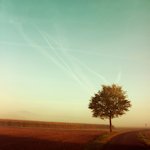
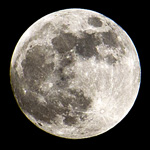
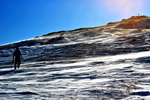
Timelapses i shot over the last year.
Enjoy
Enjoy
- Patryk Ludamage
- Sherbet Head
- Posts: 700
- Joined: Fri Sep 25, 2009 5:59 am
- Location: The Soviet Russia, where is vodka, bears and very cold winters
- Contact:
Re: Dayvan Cowboy timelapse
Amazing! Really beautiful viewsqrotozoa wrote:Timelapses i shot over the last year.
Enjoy![]()
- Aesthetics
- Site Admin
- Posts: 5446
- Joined: Thu Nov 25, 2004 11:59 am
- Location: Lowlands
- Contact:
- hexagon son
- Happy Cycler
- Posts: 3254
- Joined: Wed Oct 19, 2005 1:17 pm
- Location: Calgary, Alberta
- Amo Bishop Roden
- Sherbet Head
- Posts: 516
- Joined: Mon Feb 20, 2012 12:17 am
- zeitgeist
- Dayvan Cowboy
- Posts: 1416
- Joined: Thu Sep 20, 2007 9:51 pm
- Location: where teh wild things are
I just started getting into timelapses, and it's so much fun. It's amazing what results you can get with decent equipment and good color correction in post.
Do you mind sharing the basics of your workflow? What works best for you? I only saw one tracking shot iirc, was that done in software, or did you use a slider/dolly? Lastly, do you have any experience with getting rid of flicker? I shoot full manual in my time lapses, but still get a few exposure jumps.
Anyway, great stuff, thanks for sharing! I think I may copy you in the near future with some BOC-lapses myself. (It's the biggest form of flattery)

Do you mind sharing the basics of your workflow? What works best for you? I only saw one tracking shot iirc, was that done in software, or did you use a slider/dolly? Lastly, do you have any experience with getting rid of flicker? I shoot full manual in my time lapses, but still get a few exposure jumps.
Anyway, great stuff, thanks for sharing! I think I may copy you in the near future with some BOC-lapses myself. (It's the biggest form of flattery)
Hi Zeitgeist.zeitgeist wrote:I just started getting into timelapses, and it's so much fun. It's amazing what results you can get with decent equipment and good color correction in post.
Do you mind sharing the basics of your workflow? What works best for you? I only saw one tracking shot iirc, was that done in software, or did you use a slider/dolly? Lastly, do you have any experience with getting rid of flicker? I shoot full manual in my time lapses, but still get a few exposure jumps.
Anyway, great stuff, thanks for sharing! I think I may copy you in the near future with some BOC-lapses myself. (It's the biggest form of flattery)
LRTimelapse is a awesome tool to fix flicker. It is free, you can get it here http://lrtimelapse.com/
There is great workflow movies on the webpage for how to use it.
My workflow:
Always use manual mode and shoot in raw.
Import the images to LightRoom.
Edit the first image to my likings and sync settings to all images.
Save metadata to files.
Open files in LRTimelapse and do the necessary adjustments for deflicker.
Save metadata in LRTimelapse.
Go back to LightRoom and read metadata.
Export images.
Then i load the exported jpegs into Quicktimepro as image sequence.
Export movie using Photo - JPEG settings at max quality.
Next, when i have enough clips to make the video i use After Effects.
I didnt use a dolly, i wish i had one though. Currently saving up for one.
The panning was done in LRTimelapse.
I hope this was any help for you.
Q