I just purchased a second VCR! :)

Moderator: Aesthetics

User avatar
TaoTapeTao
Dayvan Cowboy
Posts: 1286
Joined: Wed Mar 07, 2012 6:04 pm
Location: the internet
Contact:

Post by TaoTapeTao »

fujee wrote:

Here is a little experiment I did with 14 generations, not too bad, I added a little soundscape with it as well.

It's got potential, need to sit down and edit it properly soon.
This is really cool.

Hopefully at some point in my life I'll have the resources to make an experimental/psychedelic film and put a soundtrack to it. A few of my buddies are currently in film school right now so I hope it works out...
User avatar
pianoforte
Dayvan Cowboy
Posts: 1415
Joined: Thu Jun 02, 2011 2:41 am
Location: grey gardens

Post by pianoforte »

To divert the topic back to ME, ME, ME!!! for a moment... :D

I recently purchased an iGrabber USB Video Capture Device via Amazon; it just arrived in the mail.

This means that I can now capture VHS tapes in DV form and release them into the digital domain!

Just thought I'd mention that. -Maybe- expect some interesting things from me at some point in the future.
User avatar
pianoforte
Dayvan Cowboy
Posts: 1415
Joined: Thu Jun 02, 2011 2:41 am
Location: grey gardens

Post by pianoforte »

pianoforte wrote:To divert the topic back to ME, ME, ME!!! for a moment... :D

I recently purchased an iGrabber USB Video Capture Device via Amazon; it just arrived in the mail.

This means that I can now capture VHS tapes in DV form and release them into the digital domain!

Just thought I'd mention that. -Maybe- expect some interesting things from me at some point in the future.
So the iGrabber turned out to be a complete piece of shit. I had heard from a number of people that it could capture in raw DV form, and would be recognizable by any capture system. On both these counts, 'a number of people' were very, very wrong.

The iGrabber only captures in mpeg format at some kind of bizarre compression rate. The resulting files are 720x480 but have noticeable pixellation. It is also not recognizable by any capture software other than that which it comes with, Honestech VHS to DVD Deluxe 2.0 - an incredibly poorly written and convinced video capture program/solution.

I no longer have the iGrabber's box, so I cannot return it. Ah, well - such is life. I will make sure to keep all packaging until after I have tested a device thoroughly in future.
User avatar
TaoTapeTao
Dayvan Cowboy
Posts: 1286
Joined: Wed Mar 07, 2012 6:04 pm
Location: the internet
Contact:

Post by TaoTapeTao »

This is unfortunate- I was looking forward to something awesome lol. That's lame that it ended up being a piece of shit.
User avatar
pianoforte
Dayvan Cowboy
Posts: 1415
Joined: Thu Jun 02, 2011 2:41 am
Location: grey gardens

Post by pianoforte »

TaoTapeTao wrote:This is unfortunate- I was looking forward to something awesome lol. That's lame that it ended up being a piece of shit.
It is unfortunate, but all is not lost; someone on another forum is sending me their old Pinnacle analog video capture box free-of-charge; if I can get that to work in my Linux-based world, then I will have an analog>DV capture box after all (which is what I wanted in the first place!)

If that doesn't work, then I will figure something else out. The world is so full of opportunities to get something working somehow, so I will hold out hope until I have a good reason not to.
Valotonin wrote:Celebrate collapse because it will be beautiful x
User avatar
sevenELIXIR
Dayvan Cowboy
Posts: 1090
Joined: Sat Dec 17, 2005 3:29 pm

Post by sevenELIXIR »

video makers- has anyone had experience with an azden vpc-10? I'm certain they don't make them anymore. I'm trying to experiment with optical (video) feedback; the kind of effect you hook a camcorder to the tv, play what your recording on the tv and film the screen, resulting in the "infinity" effect. check out sabrina ratte's stuff. if anyone knows of some super cheap vhs editing hardware that would create reverb/feedback on some of my home movies that would be cool. or something that I could overlay videos. this probably doesn't make much sense....
User avatar
TaoTapeTao
Dayvan Cowboy
Posts: 1286
Joined: Wed Mar 07, 2012 6:04 pm
Location: the internet
Contact:

Post by TaoTapeTao »

sevenELIXIR wrote:video makers- has anyone had experience with an azden vpc-10? I'm certain they don't make them anymore. I'm trying to experiment with optical (video) feedback; the kind of effect you hook a camcorder to the tv, play what your recording on the tv and film the screen, resulting in the "infinity" effect. check out sabrina ratte's stuff. if anyone knows of some super cheap vhs editing hardware that would create reverb/feedback on some of my home movies that would be cool. or something that I could overlay videos. this probably doesn't make much sense....
I wish I could help but I don't know squat about video. But Sabrina Ratte's stuff is amazing... I wish I knew how to make stuff like that...
User avatar
pianoforte
Dayvan Cowboy
Posts: 1415
Joined: Thu Jun 02, 2011 2:41 am
Location: grey gardens

Post by pianoforte »

sevenELIXIR wrote:video makers- has anyone had experience with an azden vpc-10? I'm certain they don't make them anymore. I'm trying to experiment with optical (video) feedback; the kind of effect you hook a camcorder to the tv, play what your recording on the tv and film the screen, resulting in the "infinity" effect. check out sabrina ratte's stuff. if anyone knows of some super cheap vhs editing hardware that would create reverb/feedback on some of my home movies that would be cool. or something that I could overlay videos. this probably doesn't make much sense....
I'm not sure that I quite understand what you are trying to do.

I don't know if it helps, but my method of creating 'video feedback' is the following:

1. Connect a camcorder of some sort, preferably analog, to VCR.
2. Output the video signal from VCR to TV/monitor via RCA cables.
3. Put a tape which you wish to record over, or a blank tape, into the VCR.
4. Press record on VCR.
5. Point camcorder at TV/monitor.
6. Preeeeeeety patterns... :shock:

I really need to get ahold of one of those Azden video effects processors. Sabrina Ratte's work looks really nice! Thanks for the recommendation.

I have some sort of video switcher/mixer box thing from a similar era. I haven't tried it yet, and I don't know how useful it would be for this sort of video project/
Valotonin wrote:Celebrate collapse because it will be beautiful x
User avatar
sevenELIXIR
Dayvan Cowboy
Posts: 1090
Joined: Sat Dec 17, 2005 3:29 pm

Post by sevenELIXIR »

yeah I've done that a lot... pointing the camera at the tv... but what I'm trying to do is feed an image into the tv, and have the patterns come off of things within the image. say you have a video of a person walking on a hill with a tree. I'm looking to get patterns of multiple trees, people, within that image, almost like echoes, or reverb. I don't know what kind of hardware I'm even looking for, that's the problem.... I don't know what i don't know
User avatar
pianoforte
Dayvan Cowboy
Posts: 1415
Joined: Thu Jun 02, 2011 2:41 am
Location: grey gardens

Post by pianoforte »

sevenELIXIR wrote:yeah I've done that a lot... pointing the camera at the tv... but what I'm trying to do is feed an image into the tv, and have the patterns come off of things within the image. say you have a video of a person walking on a hill with a tree. I'm looking to get patterns of multiple trees, people, within that image, almost like echoes, or reverb. I don't know what kind of hardware I'm even looking for, that's the problem.... I don't know what i don't know
Hm. That sounds like a VERY interesting idea. I can't think of any way (off the top of my head, so to speak) that that might be accomplished, but I wish you luck in figuring it out. I will post here if I think of anything.
Valotonin wrote:Celebrate collapse because it will be beautiful x
User avatar
harpoon dodger
Dayvan Cowboy
Posts: 2341
Joined: Fri Nov 10, 2006 7:20 pm
Location: Ontario, Canada
Contact:

Post by harpoon dodger »

I also have 2 VCR's! Woohoo :D
The preparation for a dive is always a tense time.
User avatar
pianoforte
Dayvan Cowboy
Posts: 1415
Joined: Thu Jun 02, 2011 2:41 am
Location: grey gardens

Post by pianoforte »

harpoon dodger wrote:I also have 2 VCR's! Woohoo :D
Excellent! Have you made anything interesting?
Valotonin wrote:Celebrate collapse because it will be beautiful x
User avatar
harpoon dodger
Dayvan Cowboy
Posts: 2341
Joined: Fri Nov 10, 2006 7:20 pm
Location: Ontario, Canada
Contact:

Post by harpoon dodger »

pianoforte wrote:
harpoon dodger wrote:I also have 2 VCR's! Woohoo :D
Excellent! Have you made anything interesting?
No, but after reading the whole thread I'm tempted to! I have 2 because I have a pretty extensive VHS collection (230+ tapes at this point) and would hate it if my VCR broke down and I couldn't watch half my movies. Why do I have so many you ask? I love film grain haha..and b-movies/horror movies from years ago and I find it wonderfully nostalgic to watch them in that format. :roll:
The preparation for a dive is always a tense time.
User avatar
pianoforte
Dayvan Cowboy
Posts: 1415
Joined: Thu Jun 02, 2011 2:41 am
Location: grey gardens

Post by pianoforte »

Well, my second VCR appears to have broken. Oh well. It's not like it will be hard to find another $3 secondhand VCR locally - but not right know, as I am somewhat broke ;)
Valotonin wrote:Celebrate collapse because it will be beautiful x
User avatar
pianoforte
Dayvan Cowboy
Posts: 1415
Joined: Thu Jun 02, 2011 2:41 am
Location: grey gardens

Post by pianoforte »

TaoTapeTao wrote:This is unfortunate- I was looking forward to something awesome lol. That's lame that it ended up being a piece of shit.
aaaaaaaaaaaand... I was wrong.

The issues that I was blaming on the iGrabber were in fact caused by the absolutely-beyond-shit-in-every-way bundled video capture software, "Honestech VHS to DVD 3.0 SE". A bit of creative use of VLC and the iGrabber is suddenly capturing full-quality 720x480 DV video, which is what I wanted in the first place! :D :D :D
Valotonin wrote:Celebrate collapse because it will be beautiful x
User avatar
bearhead
Sherbet Head
Posts: 875
Joined: Sun Aug 26, 2012 10:42 am

Post by bearhead »


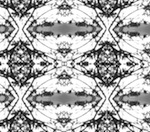
Does anyone know how to make stuff like this? I'm thinking of experimenting with my camera and VCR today.
User avatar
pianoforte
Dayvan Cowboy
Posts: 1415
Joined: Thu Jun 02, 2011 2:41 am
Location: grey gardens

Post by pianoforte »

bearhead wrote:

Does anyone know how to make stuff like this? I'm thinking of experimenting with my camera and VCR today.
I have never tried doing something quite that sophisticated, but the basic idea should be fairly easy to achieve and from there you can experiment.

1. Connect your camcorder to the video-input on your VCR. Often, this is accomplished using RCA cables (the same kind that likely connect your VCR to your TV).

2. Switch your VCR to the channel it needs to be on in order to be receiving input from the video-in/camera. If this isn't channel 2, 3 or 4, it's probably something below there. If you keep going to lower channels after 3, 2 and 1 you will start encountering channels with names like FRONT and/or INPUT or even L-1/F-1. One of these channels will be able to receive output from whatever is plugged into the VCR's video-in.

3. Switch your television to the channel in which it is recognizing output from the VCR. This is distinct from the VCR's channel; it's often 3 or 4, but it too can be somewhere in the lower end of available channels.

4. Once your VCR is getting output from the camera and the TV is displaying what the VCR is seeing, pop in a fresh (or otherwise!) VHS tape and press 'RECORD'. Turn on your camera and take some quick test shots of whatever you like; this can be a table, a chair, your eyelashes, etc. Press 'STOP', rewind the tape and press 'PLAY' to verify that the VCR is recording your camera's output correctly.

4. Assuming that the TV is still on the same channel and everything is going nicely, (e.g. you can turn on the camera and see what it's seeing through the viewfinder AND on the TV screen) you can now press 'RECORD' once again on your VCR and point the camera straight at the television screen. Try zooming in and out, panning and making other such movements to further experiment and create more distortions.

:)

edit: see post#2 in this thread for another, probably-better-because-I-didn't-write-it explanation of how to get video onto a VHS tape.
Valotonin wrote:Celebrate collapse because it will be beautiful x
User avatar
bearhead
Sherbet Head
Posts: 875
Joined: Sun Aug 26, 2012 10:42 am

Post by bearhead »

pianoforte wrote:
bearhead wrote:

Does anyone know how to make stuff like this? I'm thinking of experimenting with my camera and VCR today.
I have never tried doing something quite that sophisticated, but the basic idea should be fairly easy to achieve and from there you can experiment.

1. Connect your camcorder to the video-input on your VCR. Often, this is accomplished using RCA cables (the same kind that likely connect your VCR to your TV).

2. Switch your VCR to the channel it needs to be on in order to be receiving input from the video-in/camera. If this isn't channel 2, 3 or 4, it's probably something below there. If you keep going to lower channels after 3, 2 and 1 you will start encountering channels with names like FRONT and/or INPUT or even L-1/F-1. One of these channels will be able to receive output from whatever is plugged into the VCR's video-in.

3. Switch your television to the channel in which it is recognizing output from the VCR. This is distinct from the VCR's channel; it's often 3 or 4, but it too can be somewhere in the lower end of available channels.

4. Once your VCR is getting output from the camera and the TV is displaying what the VCR is seeing, pop in a fresh (or otherwise!) VHS tape and press 'RECORD'. Turn on your camera and take some quick test shots of whatever you like; this can be a table, a chair, your eyelashes, etc. Press 'STOP', rewind the tape and press 'PLAY' to verify that the VCR is recording your camera's output correctly.

4. Assuming that the TV is still on the same channel and everything is going nicely, (e.g. you can turn on the camera and see what it's seeing through the viewfinder AND on the TV screen) you can now press 'RECORD' once again on your VCR and point the camera straight at the television screen. Try zooming in and out, panning and making other such movements to further experiment and create more distortions.

:)

edit: see post#2 in this thread for another, probably-better-because-I-didn't-write-it explanation of how to get video onto a VHS tape.
There is a small problem with this setup and the feedback loop... If I were to run the camera as an input, the tape would catch what's coming from the camera instead of the television itself. If I wanted to capture the feedback loop, I would need to find a way to get the video from the tv to the VCR. But sadly, I can't seem to find any outputs on my tv. Well, there is a "PROG OUT" on my tv, but I ran that into the VCR, and just got static...
User avatar
pianoforte
Dayvan Cowboy
Posts: 1415
Joined: Thu Jun 02, 2011 2:41 am
Location: grey gardens

Post by pianoforte »

bearhead wrote:
pianoforte wrote:
bearhead wrote:

Does anyone know how to make stuff like this? I'm thinking of experimenting with my camera and VCR today.
I have never tried doing something quite that sophisticated, but the basic idea should be fairly easy to achieve and from there you can experiment.

1. Connect your camcorder to the video-input on your VCR. Often, this is accomplished using RCA cables (the same kind that likely connect your VCR to your TV).

2. Switch your VCR to the channel it needs to be on in order to be receiving input from the video-in/camera. If this isn't channel 2, 3 or 4, it's probably something below there. If you keep going to lower channels after 3, 2 and 1 you will start encountering channels with names like FRONT and/or INPUT or even L-1/F-1. One of these channels will be able to receive output from whatever is plugged into the VCR's video-in.

3. Switch your television to the channel in which it is recognizing output from the VCR. This is distinct from the VCR's channel; it's often 3 or 4, but it too can be somewhere in the lower end of available channels.

4. Once your VCR is getting output from the camera and the TV is displaying what the VCR is seeing, pop in a fresh (or otherwise!) VHS tape and press 'RECORD'. Turn on your camera and take some quick test shots of whatever you like; this can be a table, a chair, your eyelashes, etc. Press 'STOP', rewind the tape and press 'PLAY' to verify that the VCR is recording your camera's output correctly.

4. Assuming that the TV is still on the same channel and everything is going nicely, (e.g. you can turn on the camera and see what it's seeing through the viewfinder AND on the TV screen) you can now press 'RECORD' once again on your VCR and point the camera straight at the television screen. Try zooming in and out, panning and making other such movements to further experiment and create more distortions.

:)

edit: see post#2 in this thread for another, probably-better-because-I-didn't-write-it explanation of how to get video onto a VHS tape.
There is a small problem with this setup and the feedback loop... If I were to run the camera as an input, the tape would catch what's coming from the camera instead of the television itself. If I wanted to capture the feedback loop, I would need to find a way to get the video from the tv to the VCR. But sadly, I can't seem to find any outputs on my tv. Well, there is a "PROG OUT" on my tv, but I ran that into the VCR, and just got static...
With all due respect, I'm not sure you are correct.

If you run your camera's output through the VCR and the VCR's output into the TV, the VCR will record what the camera sees, but if you point the camera at the screen the camera is seeing the feedback loop is it not?
Valotonin wrote:Celebrate collapse because it will be beautiful x
User avatar
bearhead
Sherbet Head
Posts: 875
Joined: Sun Aug 26, 2012 10:42 am

Post by bearhead »

pianoforte wrote:
bearhead wrote:
pianoforte wrote: I have never tried doing something quite that sophisticated, but the basic idea should be fairly easy to achieve and from there you can experiment.

1. Connect your camcorder to the video-input on your VCR. Often, this is accomplished using RCA cables (the same kind that likely connect your VCR to your TV).

2. Switch your VCR to the channel it needs to be on in order to be receiving input from the video-in/camera. If this isn't channel 2, 3 or 4, it's probably something below there. If you keep going to lower channels after 3, 2 and 1 you will start encountering channels with names like FRONT and/or INPUT or even L-1/F-1. One of these channels will be able to receive output from whatever is plugged into the VCR's video-in.

3. Switch your television to the channel in which it is recognizing output from the VCR. This is distinct from the VCR's channel; it's often 3 or 4, but it too can be somewhere in the lower end of available channels.

4. Once your VCR is getting output from the camera and the TV is displaying what the VCR is seeing, pop in a fresh (or otherwise!) VHS tape and press 'RECORD'. Turn on your camera and take some quick test shots of whatever you like; this can be a table, a chair, your eyelashes, etc. Press 'STOP', rewind the tape and press 'PLAY' to verify that the VCR is recording your camera's output correctly.

4. Assuming that the TV is still on the same channel and everything is going nicely, (e.g. you can turn on the camera and see what it's seeing through the viewfinder AND on the TV screen) you can now press 'RECORD' once again on your VCR and point the camera straight at the television screen. Try zooming in and out, panning and making other such movements to further experiment and create more distortions.

:)

edit: see post#2 in this thread for another, probably-better-because-I-didn't-write-it explanation of how to get video onto a VHS tape.

There is a small problem with this setup and the feedback loop... If I were to run the camera as an input, the tape would catch what's coming from the camera instead of the television itself. If I wanted to capture the feedback loop, I would need to find a way to get the video from the tv to the VCR. But sadly, I can't seem to find any outputs on my tv. Well, there is a "PROG OUT" on my tv, but I ran that into the VCR, and just got static...
With all due respect, I'm not sure you are correct.

If you run your camera's output through the VCR and the VCR's output into the TV, the VCR will record what the camera sees, but if you point the camera at the screen the camera is seeing the feedback loop is it not?
Well yes, but wouldn't that reduce the quality, or does it really matter which "mirror" the video records from?
Post a reply